cross-platform dev environment tools supporting macOS, Linux, and WSL2
Nix-backed tools let teams share identical environments across macOS, Linux, and WSL2.
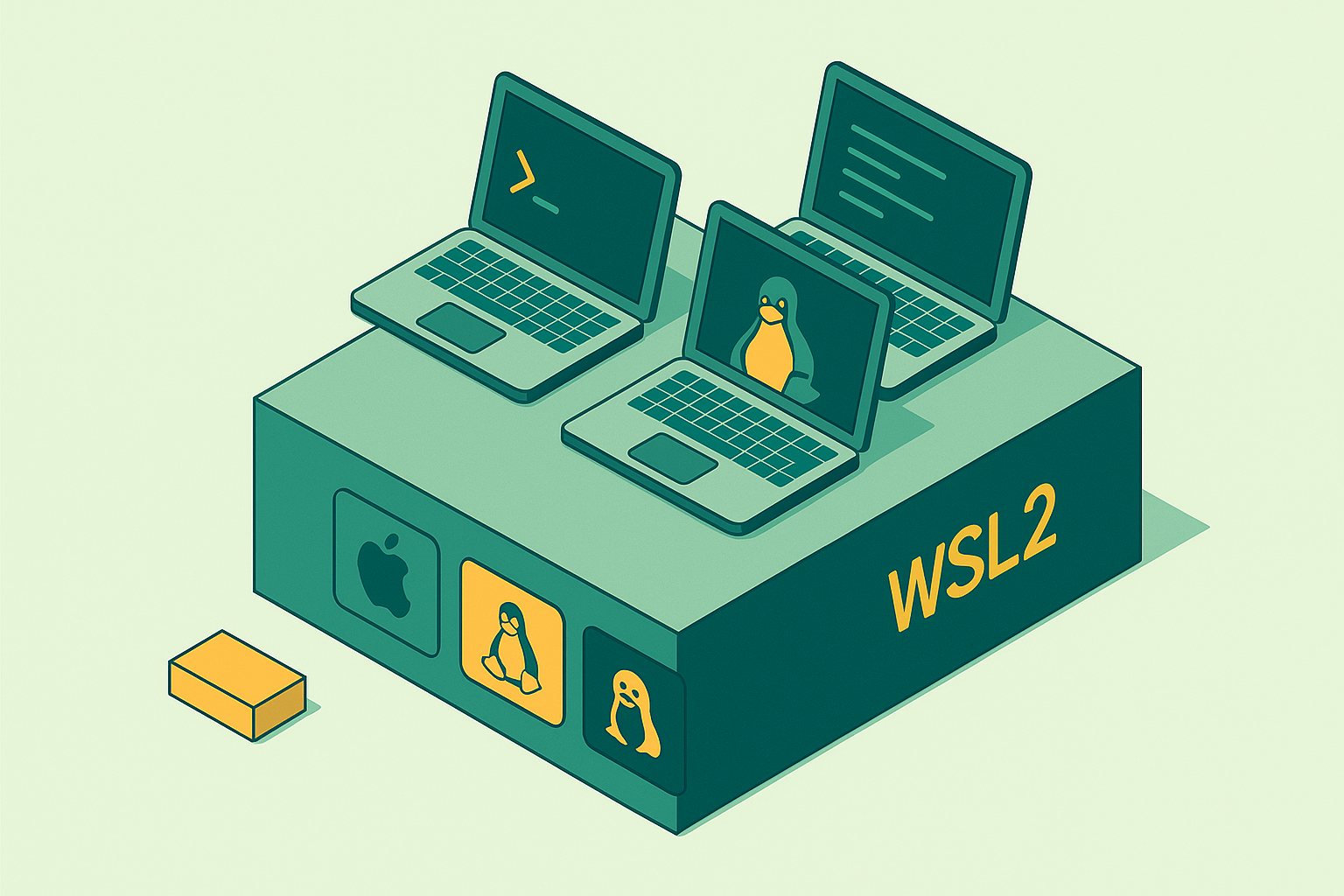
Ask three developers what platform they build on and you'll get three different answers that all somehow mean "it works fine here." macOS, Linux, and WSL2 all give you a Unix-style shell, they all run Node or Python or Go or Rust without complaint, and they all pull from the same language-level package registries. That's the pitch in every onboarding doc I've ever read. It's true enough, but it stops being useful the exact moment someone's build breaks and nobody can say why.
Start with macOS, since it's the one people get wrong most often. It's BSD-based, not Linux, and that distinction sits quietly in the background until a native dependency compiles clean on a laptop and then falls over on the Linux server it was actually written for. Production runs on Linux almost everywhere I've worked, and macOS approximates the daily experience well enough that people forget the code's real home is somewhere else entirely. Stack Apple Silicon on top of that, and you've got a second axis to track: ARM64 versus x86-64 stopped being a rare edge case years ago, though a surprising amount of tooling still treats it as one.
WSL2 gets less credit than it deserves, honestly. Underneath the Windows branding, it's a real Linux kernel, one Microsoft forks and patches for host integration, running inside a lightweight Hyper-V VM. Docker runs natively there, and syscalls behave the way they would on bare metal.
Then there's the filesystem boundary, and it catches nearly everyone once. Files inside the WSL2 filesystem behave exactly the way you'd want, but touch those same files through the Windows mount at /mnt/c/, and everything slows down, sometimes badly, because every read and write crosses a 9P protocol bridge between the Windows and Linux sides. Nobody warns new WSL2 users about this going in, and the symptom shows up as "my build takes eleven minutes for no reason," a complaint that rarely points anyone toward the actual cause. Throw LF line endings on the Linux side against CRLF baked into files checked out on Windows, and now you've got broken shell scripts and Git diffs full of noise a .gitattributes file should have killed on day one.
A team running Apple Silicon laptops, x86-64 Linux CI, and WSL2 desktops is spanning two CPU architectures and at least three kernel behaviors at once, whether anyone's written that down or not. A tool that doesn't take architecture as seriously as it takes operating system leaves an asterisk hanging off every install instruction.
The reproducibility problem that cross-platform environments make worse
Environment drift is the polite name for a familiar failure. Two developers start from the same setup, and months later their build outputs stop matching, because the ground shifted under them one dependency update at a time. This isn't a hunch or a war story. Docker rebuild studies going back years have found that a striking share of rebuilt images fail to reproduce the original installed package versions exactly. Bitwise reproducibility, the same image built twice producing identical output, is rare in practice, which is a strange thing to say about a tool whose whole pitch is build once, run anywhere.
Cross-platform teams feel this harder, and there's a structural reason why. Every OS ships its own package manager with its own resolution logic: the macOS package manager, apt or pacman on Linux, whatever the WSL2 side happens to be running that week. A version spec that resolves to one package build today can resolve to a different build next month, and to a third build entirely depending on which package manager did the resolving. Add a CI runner, usually Linux x86-64, and now there's a fourth environment on the table that matches neither developer's machine.
Here's the part that actually stings. On a single-platform team, drift gets caught fast, because "works on my machine" is obviously false when everyone's machine is nominally the same machine. On a cross-platform team, that exact same failure gets waved off as an OS quirk, and nobody investigates, because the excuse is sitting right there, free for the taking. The bug doesn't get fixed; it gets blamed on Windows, or on Apple Silicon, or on whatever's convenient that afternoon, and everyone moves on to the next ticket.
Real reproducibility means pinning every dependency, transitive ones included, to a content-addressed identifier instead of a version string. A version string is a label, and labels can point at different content over time; they often do. A content hash resists that by design. Flox, a Nix-backed environment manager that lets teams declare a single manifest and share identical environments across developer laptops, CI runners, and production, is built around exactly that constraint. That's the bar worth holding a tool to, and the question worth asking of any of them is plain: does it produce the same resolved environment on macOS, Linux, and WSL2, every time, no exceptions?
How the leading tools approach cross-platform environment definition
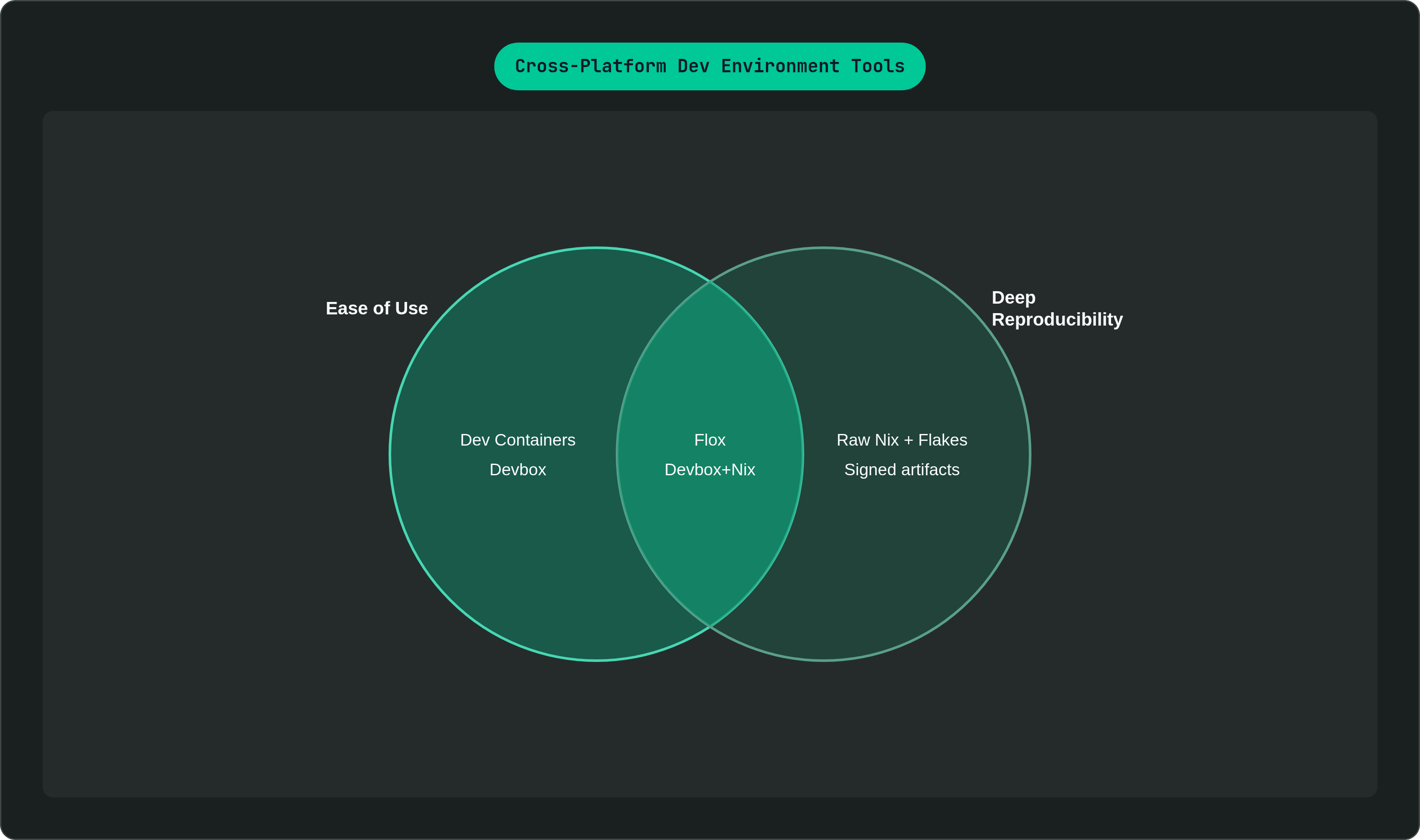
Dev Containers sit at the friendly end of this spectrum. It's Microsoft's spec for defining an environment through a .devcontainer/devcontainer.json file, and both VS Code and JetBrains detect the config and drop you straight into the container. Because the environment is a Linux container regardless of host OS, macOS and WSL2 get Linux parity almost for free. The catch is in how the image gets referenced: pin to a digest and the guarantee holds, but float on a tag like node:20, which is what most teams do without thinking twice, and the image underneath that tag can change on any pull, silently, out from under you. The mechanism for real consistency is sitting right there in the spec, yet almost nobody uses it.
Devbox wraps Nix in a JSON config and a CLI that feels like an ordinary package manager. devbox add nodejs@20 reads like npm, a deliberate design choice that keeps hand-rolled Nix derivations out of a developer's daily path. Nix does the actual reproducibility work underneath; Devbox just makes the surface less intimidating. The same devbox.json runs on macOS, Linux, and WSL2, with Nix handling architecture differences at the package level instead of leaving that job to whoever's debugging a broken build at 11pm. Devbox can also build a container image straight from the exact shell environment defined locally, closing the laptop-to-CI gap. You're still depending on Nix and the Nixpkgs set underneath, however friendly the top layer looks.
Nix itself, especially with Flakes, is the strongest guarantee here and also the steepest climb. Every build is a pure function of explicitly declared inputs, each one hashed transitively, so ambient system state has no path into the result. Architecture handling is built in from the start, since the same Nix expression targets x86-64 or ARM64 by passing a system parameter at evaluation time; no separate pipeline per architecture required. Flakes add a lock file, flake.lock, pinning the whole dependency graph to content-addressed hashes. That's about as close to guaranteed cross-platform reproducibility as exists today. The tradeoff is real, not cosmetic: the Nix language and its functional model are genuinely unfamiliar territory for most developers, and the climb only pays off at scale, or in regulated environments where you have to prove what's in your environment instead of just believing it.
Some tools build on Nix to give a team one declared environment meant to stay reproducible for every developer, every agent, and every CI run, from first commit through production, without making anyone sit down and learn the Nix language directly. The same definition runs on Apple Silicon macOS, Linux, and WSL2, architecture handled underneath at the Nix layer. Certain tools in this space carry a signed, hash-pinned software bill of materials as a normal part of how they operate, generated automatically as environments are built rather than compiled after the fact when an auditor comes asking. Some reach into Kubernetes too, supporting imageless workloads where a declarative environment sits directly in a Pod template, so the same definition that ran on somebody's laptop runs in production, with the container image layer removed as a potential source of independent drift. This focus on governing environments across a whole fleet of developers and agents is a platform-team concern that sits alongside the single-developer reproducibility raw Nix or Devbox address.
Worth a mention alongside all four: direnv, which loads and unloads environment variables automatically as you move in and out of a directory holding an .envrc file. It works the same on all three platforms, plugs into every tool above, and turns environment switching into something that just happens instead of something someone has to remember.
The design philosophy shared by tools that actually solve the problem
The pattern across the tools that actually work isn't subtle once you've used enough of them. Each treats the environment definition itself as the source of truth, ahead of the README, ahead of whatever tribal knowledge is buried in an old Slack thread nobody can find anymore.
Declarative beats imperative. An environment described as a state to reach behaves nothing like one described as a sequence of commands run in order, and the gap shows up over time: shell scripts and setup READMEs rot, while lock files and hash-pinned definitions mostly don't. Dependencies need to be content-addressed for the same reason, really, seen from a different angle. A version string is a label that can point to different content depending on when you check it; a hash resists that no matter when you look. And architecture has to be a first-class input from the start, not a patch applied after the fact once someone complains. A tool that runs clean on x86-64 Linux and needs manual fixes for ARM64 macOS has a platform assumption baked into its bones, whether the people who built it meant to put it there or not.
Tools that miss this tend to solve the problem by handing it to people instead of infrastructure: discipline around image tags, manually re-locking versions the moment something breaks, separate config files per platform maintained by hand, which fall out of sync the first time someone's under deadline and remembers to update one of the three files but not the other two.
Somebody carries the burden of staying consistent. Either the infrastructure does, or your team's habits do, and habits are the weaker bet.
What cross-platform consistency means for onboarding and CI reliability
Time to first commit is a real, trackable number. Teams that handle this well measure it in days, while teams that don't measure it closer to a week, and the gap rarely comes down to how sharp the new hire is; it comes down to environment setup quietly eating days that should have gone to real work.
A developer joining a Linux-first team from a macOS laptop shouldn't have to reverse-engineer someone else's unstated assumptions just to get a build running. That friction has nothing to do with skill. It's an environment that was never fully specified in the first place, catching up with somebody on their first day. A genuinely reproducible, cross-platform environment definition collapses all of that into a single command: the same resolved environment for the new hire as for everyone else, no matter what's sitting on their laptop. There's a quieter cost too, one that shows up later. Every line in a README that reads "on macOS, do this instead" is a branch in your onboarding logic that nobody's testing, and it drifts from what actually works, silently, until some new hire trips over it and loses a morning.
CI runs into the same wall from a different direction. Runners are almost always Linux x86-64, so a team developing mostly on Apple Silicon is already running cross-platform CI whether it's admitted that to itself or not. Flaky CI caused by environment mismatch is miserable to diagnose precisely because it never announces itself as an environment problem; it shows up as a failed test, and someone burns an afternoon convinced their own code is broken before realizing the ground underneath it moved. When local and CI environments come from the identical lock file, evaluated for whichever architecture each side happens to run, that whole failure mode disappears.
There's a supply chain angle downstream of the same discipline, not a separate concern bolted on afterward. You can't generate an accurate software bill of materials for an environment whose contents nobody can actually enumerate.
What to look for when evaluating a cross-platform environment tool for your team
Team size, existing infrastructure, regulatory obligations, and whether AI agents touch the workflow all shift which tradeoffs matter for a given team. Anyone selling a single answer that fits everyone is selling something.
A few questions cut through the noise fast, though. Does the tool produce a lock file, or something equivalent, that content-addresses every dependency down to system libraries, not just the packages listed at the top of a manifest? Does the exact same environment definition run on ARM64 macOS, x86-64 Linux, and WSL2 without platform-specific patches bolted on after the fact? Can a new hire reproduce the whole thing with one command, rather than a checklist somebody wrote in 2022 and never touched since? Does CI run off that same definition developers use locally, or does the runner need its own separate setup, maintained by hand, forever, in parallel?
Teams carrying compliance or supply chain obligations need two more answers. Does the tool generate a machine-readable SBOM as a normal byproduct of building the environment, or only when someone remembers to ask for one? Are the resulting artifacts signed and independently verifiable, or does provenance come down to trusting the build system's word for it?
One more thing is getting harder to ignore. AI coding agents run in environments too, and an agent quietly installing its own dependencies in an unmanaged shell is a drift vector just like an undisciplined developer, maybe worse, since it happens faster and nobody's watching it happen in real time. Whatever rigor applies to a human's laptop setup needs to apply wherever the agent operates, or a team's just built a faster way to accumulate the exact same mess.
For teams not ready to take on Nix, Dev Containers with digest-pinned images offer a real, measurable step up from an ad-hoc setup script and a shared README, with a lower ceiling but a floor well above what most teams are running today. For teams that want Nix-level guarantees without asking every developer to learn the Nix language up front, tools like Devbox sit on top of Nix while giving a team a surface it can pick up gradually, one command at a time, rather than all at once.